Skip to content
View in the app

A better way to browse. Learn more.

BreatheHeavy | Exhale

A full-screen app on your home screen with push notifications, badges and more.

To install this app on iOS and iPadOS
  1. Tap the Share icon in Safari
  2. Scroll the menu and tap Add to Home Screen.
  3. Tap Add in the top-right corner.
To install this app on Android
  1. Tap the 3-dot menu (⋮) in the top-right corner of the browser.
  2. Tap Add to Home screen or Install app.
  3. Confirm by tapping Install.

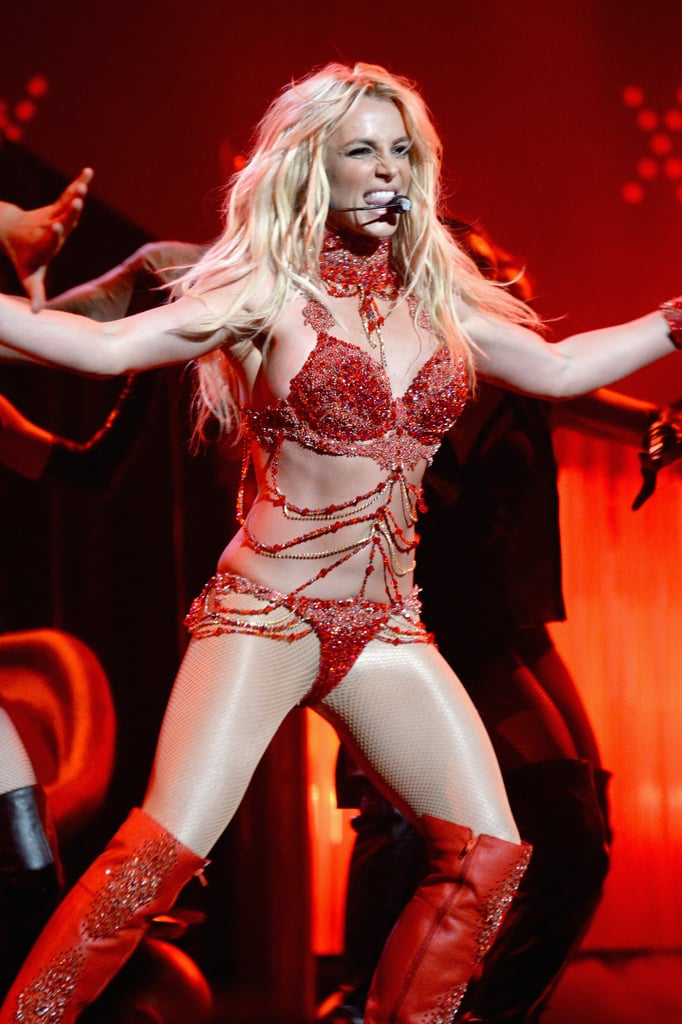
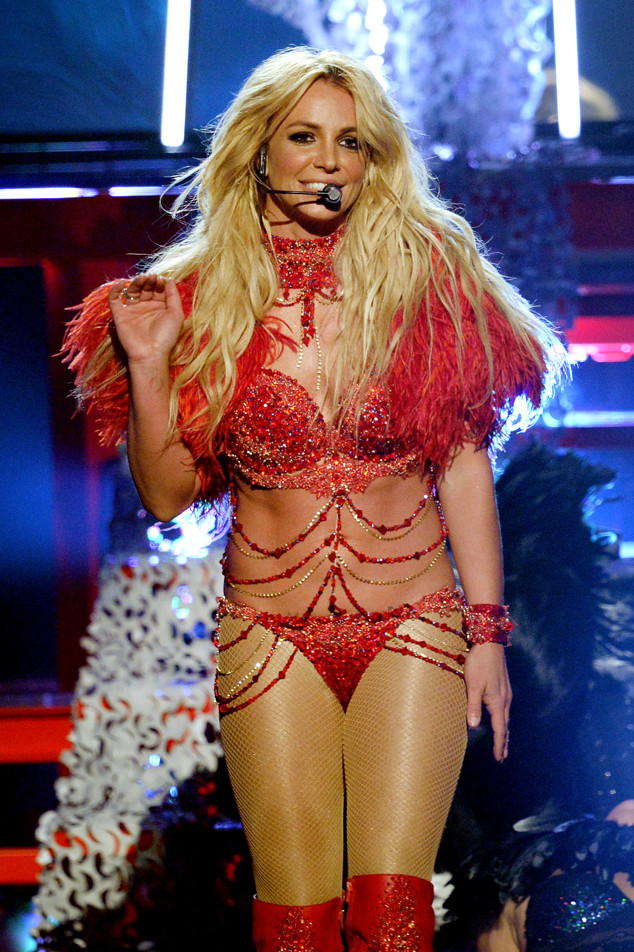
Britney receives Millennium Award at the 2016 Billboard Music Awards. Performs Megamix

This event began 05/22/2016 and repeats every year forever

On May 22, 2016, Britney Spears received the Billboard Millennium Award for her achievements and influence in the music industry. She performed a medley of hits from different albums across her career:

  • Work ***** (Britney Jean)
  • Womanizer (Circus)
  • I Love Rock 'n' Roll (Britney)
  • Breathe on Me (In the Zone)
  • I'm a Slave 4 U (Britney)
  • Touch of My Hand (In the Zone)
  • Toxic (In the Zone)

britney-spears-billboard-awards-2016-performance.jpgBritney-Spears-Billboard-Awards-Performance-Pictures-2016.jpgrs_634x952-160522172527-634--britney-spears-performance-2016-billboard-music-awards.jpg?fit=inside%7C900:auto&output-quality=90

MV5BM2MwZjI0YjEtOTBmYy00Y2Q4LWExNzEtY2FlOWUwOWE2ZTUzXkEyXkFqcGdeQXVyMjg3MDQ0Mjk@._V1_.jpgbritney-spears-bbma-portrait-2016-billboard-1000-800x1200.jpgCjHrXJPXIAAAnGJ.jpg

Recommended Comments

Roxxy

Member

Millennium Awardney :barbie:

BritneyMinaj

Deactivated

HER BEST POST PRIME PERFORMANCE 

Mattyj7883

Member

I think she looked gorgeous both on and off stage!!  :sendinglove:

Leave a comment!

You can post now and register later. If you have an account, sign in now to post with your account.
Note: Your post will require moderator approval before it will be visible.

Guest
Add a comment...

Account

Navigation

Search

Search

Configure browser push notifications

Chrome (Android)
  1. Tap the lock icon next to the address bar.
  2. Tap Permissions → Notifications.
  3. Adjust your preference.
Chrome (Desktop)
  1. Click the padlock icon in the address bar.
  2. Select Site settings.
  3. Find Notifications and adjust your preference.